
Barcode reference
ThermalPrint draws real barcodes, not pictures of them. Pick the type your scanner, shop, or carrier expects. If you are not sure, Code 128 is the safest general-purpose choice.
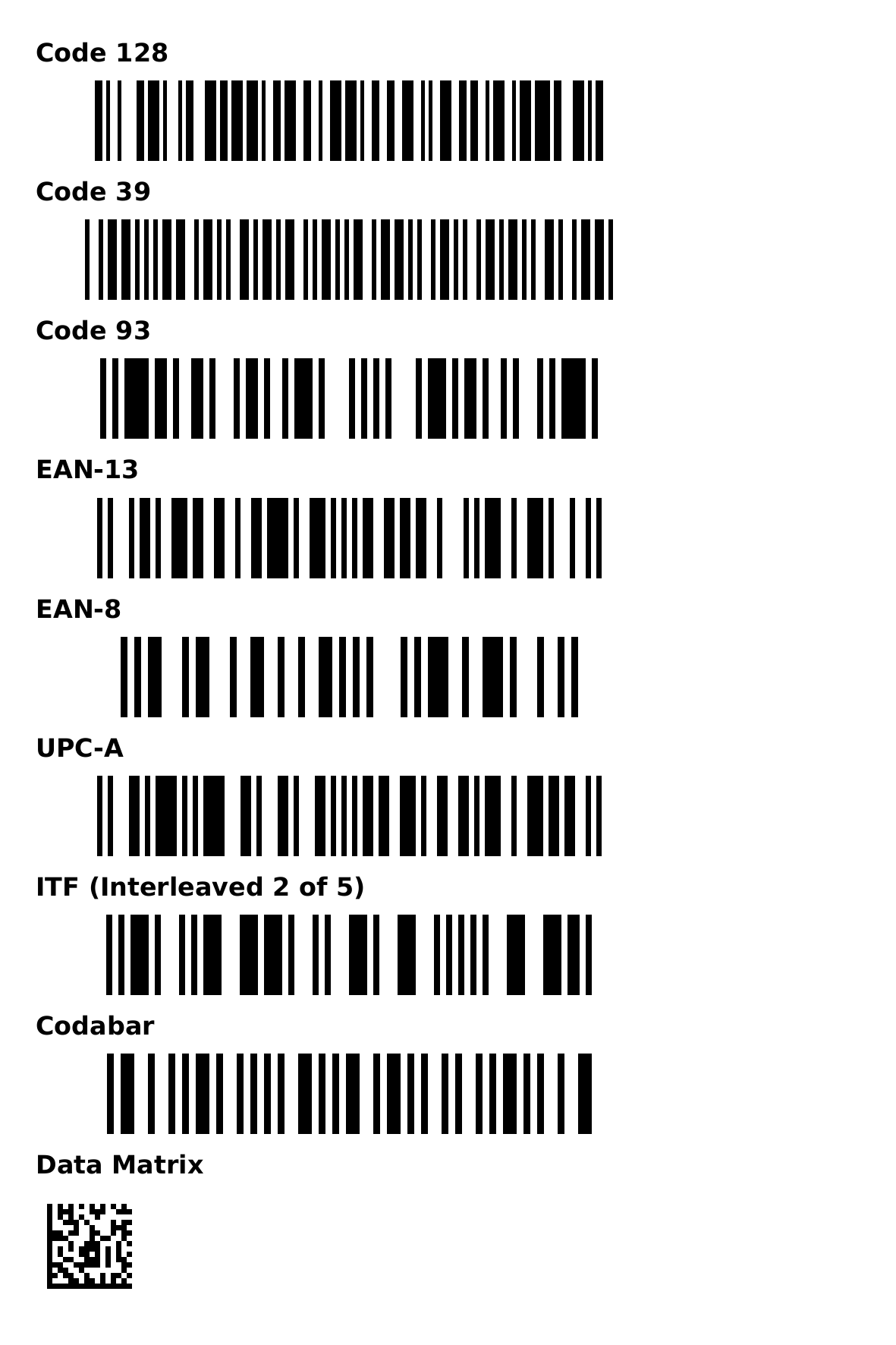
Choosing a type#
| Type | Accepts | Typical use |
|---|---|---|
| Code 128 | Letters, digits, and punctuation: any printable ASCII character (space to ~). | Product references, SKUs, shipping, inventory. Compact and flexible. |
| Code 39 | Capital letters A–Z, digits 0–9, and - . space $ / + %. | Industrial and government labels, asset tags. Easy to read but wide. |
| Code 93 | The same characters as Code 39. | A denser alternative to Code 39. |
| EAN-13 | 12 digits (the check digit is added for you), or 13 digits with a correct check digit. | Retail products outside North America. |
| EAN-8 | 7 digits, or 8 digits with a correct check digit. | Retail products too small for EAN-13. |
| UPC-A | 11 or 12 digits. | Retail products in North America. |
| ITF (Interleaved 2 of 5) | Digits only, in an even number. | Shipping cartons and warehouse boxes. |
| Codabar | Starts and ends with A, B, C, or D; digits and - $ : / . + in between. | Libraries, blood banks, some parcel systems. |
| Data Matrix | Any text. | Very small parts and labels; a square 2D symbol. |
| GS1-128 | GS1 data written with the identifier in brackets, such as (01)09506000134352(10)LOT7. | Pallet, carton, and parcel labels in logistics and retail supply chains. |
| GS1 Data Matrix | The same GS1 data, with any batch or serial field last. | Small labels that carry a product number and a batch or serial. |
| QR code | Any text, up to 2,048 characters. | Web addresses, contact details, longer data. |
Some types check themselves. If you give an EAN-13 or EAN-8 its check digit and it is wrong, ThermalPrint refuses it instead of printing a barcode that would not scan. Give 12 (or 7) digits and the correct check digit is added.
GS1 barcodes#
GS1 labels carry elements: an application identifier (AI) in brackets followed by its value. ThermalPrint checks each one before it prints, so a typo is reported instead of becoming a barcode that does not scan.

| AI | Meaning | Value |
|---|---|---|
(00) | SSCC, a pallet or parcel number | 18 digits, or 17 and the check digit is added |
(01), (02) | Product number (GTIN) | 14 digits, or 13 and the check digit is added |
(10), (21) | Batch or lot, serial number | Up to 20 letters, digits, or symbols; no spaces |
(11), (13), (15), (17) | Production, packaging, best-before, and expiry dates | 6 digits as YYMMDD |
(20), (30), (37) | Variant, count, number of units | Digits |
(310n) to (316n), (320n) to (325n) | Weights, lengths, and other measures with n decimals | 6 digits |
(240), (241), (242), (400), (401), (410) to (415), (420) | Additional product and order numbers, locations (GLN), and postal code | As the standard defines |
Other identifiers are refused. In a GS1-128 barcode, a variable-length field that is followed by another one is separated for you with the FNC1 control character. In a GS1 Data Matrix this separator is not available, so put the one variable-length field (batch or serial) last; ThermalPrint tells you if you do not.
The SSCC helper under the barcode settings builds a pallet or parcel number: enter the extension digit (0 to 9), your GS1 company prefix (6 to 12 digits), and a serial reference. It pads the serial with zeros, adds the check digit, and fills the barcode with (00) and the number.
Error messages and what they mean#
| Message | Fix |
|---|---|
| Barcode data is empty | Type a value. |
| Code 128 currently accepts printable ASCII | Remove accented or special letters, or use a QR code or Data Matrix, which accept any text. |
| EAN-8 requires 7 digits, or 8 including the check digit | Use digits only, with the right count. |
| UPC-A requires 11 or 12 digits | Use digits only, with the right count. |
| ITF requires an even number of digits | Add a leading zero if you need an even count. |
| Codabar must start and end with A, B, C, or D … | Frame the value, for example A12345B. |
| Barcode is too narrow at N DPI. Widen it or use a shorter value. | Make the object wider or the value shorter. Each bar needs at least two printed dots. |
| Data Matrix is too small; enlarge the object or use shorter data | Make the box bigger. Keep it roughly square. |
| QR code is too small; enlarge the object | Make the box bigger. |
| QR code is too small for a logo; enlarge the object or remove the logo | A code with a logo needs squares of at least three printed dots. Make the QR object bigger, or take the logo off. See A logo in the middle. |
| The QR logo could not be read | The picture stored in the design is damaged. Press Change logo… and choose it again. |
| (01) has a wrong check digit | Fix the last digit, or leave it off and it is added. |
| In a GS1 Data Matrix, put the variable-length field … last | Reorder the elements, or use GS1-128. |
| Barcode data is too long | The limit is 2,048 characters. |
Making barcodes scan#
- Leave quiet space. Keep a blank margin of at least a few millimeters on each side of a barcode. Text or lines touching the bars can stop a scanner reading it.
- Print large enough. Thin bars are the usual cause of failed scans. Prefer wider objects, and print at your printer's real DPI (203 DPI is common).
- Keep it black and white. Avoid gray fills behind or inside a barcode.
- Test a real label. Scan the first label with your phone or a scanner. ThermalPrint does not read a barcode back to test it, and it cannot read barcodes in imported labels.
- A logo in a QR code needs a bigger code. Keep the logo at or below the limit shown next to the size slider, and make the code at least the width the red note asks for. Test one printed label with your phone first.
- Data Matrix and QR need to be square-ish. A symbol is drawn as a square in the middle of its box; a very wide box wastes space.
You can use ${date}, ${serial}, and (in a batch) ${Column} placeholders inside any barcode value. See Dynamic text and Batch printing.